
Recipe organization
Recipe Manager vs Notes, Spreadsheets and Browser Bookmarks
An honest decision guide for choosing a recipe system based on collection size, search, planning and sharing needs.
Quick answer: Use browser bookmarks if you only need to return to a few stable web pages, notes for quick personal recipes, and a spreadsheet when custom sorting matters more than the cooking workflow. A recipe manager is usually the better fit when recipes come from several sources and you want one searchable library connected to meal planning and grocery lists. The best choice depends on the work you want the system to take off your plate.
There is no single best way to store recipes. Notes, spreadsheets and bookmarks are cheap, familiar and sometimes all you need. A dedicated recipe manager earns its place only when its structure and cooking features save more effort than they add.
This comparison uses practical household tasks rather than a feature-count score. It also explains where RecipeRun fits and where a simpler tool is the more sensible choice.
The short comparison
Swipe horizontally to compare
| Need | Browser bookmarks | Notes app | Spreadsheet | Recipe manager |
|---|---|---|---|---|
| Save a website quickly | Excellent | Good with a pasted link | Manual | Good when URL import is supported |
| Store handwritten or printed recipes | Image files must be managed separately | Good for photos and short text | Awkward for images and long directions | Good when photo import is supported |
| Search consistently | Depends on page titles and browser folders | Good for text you entered | Good for structured columns | Good for structured recipe fields |
| Keep source context | Original page remains linked | Must be recorded | Must be recorded | Depends on the importer and app |
| Plan a week of meals | Manual | Manual checklist | Can be designed manually | Often built into the workflow |
| Build a grocery list | Copy ingredients manually | Copy ingredients manually | Formulas are possible but require setup | Often generated from planned recipes |
| Custom analysis | Limited | Limited | Excellent | Limited to the app’s design |
| Setup effort | Low | Low | Medium to high | Low to medium, plus migration and review |
| Main risk | Links can change or disappear | Inconsistent structure | Ongoing maintenance | App dependency and import errors |
The table describes typical strengths, not a promise about every product in each category. Individual browsers, notes apps, spreadsheets and recipe managers differ.
Browser bookmarks: best for a small web-only collection
Bookmarks are the lowest-effort option when your recipes already live on the web. The original page keeps its photos, author updates, comments and context, and you avoid making another copy to maintain.
Bookmarks work well when
- You use a small number of recipe websites.
- You are comfortable searching by page title or folder.
- You want to read the publisher’s current page each time.
- You do not need recipes to drive a meal plan or grocery list.
Their limits appear when
- A recipe disappears, moves or changes.
- Page titles do not match the name you remember.
- Recipes are mixed in with hundreds of unrelated bookmarks.
- You also cook from cookbooks, screenshots and handwritten cards.
- You have to copy ingredients by hand every time you shop.
A bookmark is a pointer, not a self-contained recipe library. That is a strength when the source page is what you want, and a weakness when you want a stable working version organized around your household.
Notes apps: best for quick, flexible capture
Notes are useful because they accept almost anything: a typed family recipe, a pasted link, a photo, a checklist or a change you made while cooking. Most people already know the interface, and a short recipe does not need a complicated structure.
Notes work well when
- Most recipes are your own short text.
- You value free-form comments more than consistent fields.
- Device search reliably finds the terms you remember.
- You only plan or shop from a few recipes at a time.
Their limits appear when
- Titles, servings, ingredients and instructions follow no common pattern.
- A search for “chicken” returns grocery notes and conversations as well as recipes.
- Photos contain text the notes search cannot reliably read.
- Ingredients still need to be copied into a separate grocery list.
- Several people create conflicting copies.
You can improve a notes-based system by using one title pattern and the same headings for ingredients and directions. If that discipline solves the problem, you may not need a dedicated app.
Spreadsheets: best for custom structure and analysis
Spreadsheets offer the most control. You can create columns for meal type, source, last cooked date or any other attribute, then sort and filter them. They are also portable and familiar in many households.
Spreadsheets work well when
- You enjoy designing and maintaining a system.
- Your recipes can be summarized in rows with links to the full instructions.
- Custom sorting and analysis are the main goal.
- You need a catalog more than a cooking view.
Their limits appear when
- Long ingredient lists and directions become hard to read in cells.
- Images, source pages and structured text need to stay together.
- Grocery-list formulas must understand quantities, units and duplicate ingredients.
- The person who designed the sheet becomes its permanent administrator.
- Editing on a phone at the counter or in the grocery store feels clumsy.
A spreadsheet can be powerful, but capability is not the same as convenience. “It could calculate this” only helps if someone builds, tests and maintains the calculation.
Recipe managers: best for a connected cooking workflow
A recipe manager gives recipes a common structure and keeps them separate from general files and notes. Its main advantage is not just storage. It can connect the saved recipe to what happens next.
A recipe manager is a strong fit when
- Recipes come from websites, photos, paper and manual entry.
- You want to search one purpose-built library.
- You plan several meals before shopping.
- You want recipe ingredients brought into one grocery list.
- Household members need a shared plan or grocery list.
Its trade-offs include
- Imports can be incomplete and need review.
- Moving an existing collection takes time.
- Features and export options depend on the app you choose.
- Free-plan limits can affect a large collection.
- Storage, sync and privacy practices vary between apps and platforms.
- You become dependent on a particular interface and data model.
Before committing, import a small representative batch: one web recipe, one photo, one family recipe and one complex ingredient list. Cook from them, generate a real grocery list and test the backup or export process.
Compare systems by the whole weekly job
Storage is only the first step. A useful test follows a recipe through the week:
- Capture: How long does it take to save a web recipe or paper recipe accurately?
- Find: Can someone else in the household find it using the name they remember?
- Plan: Can you see what is being cooked and when?
- Shop: Can ingredients become one reviewed list without retyping?
- Cook: Is the recipe readable, complete and credited to its source when you are at the stove?
- Correct: Can you fix an error without creating another conflicting copy?
- Protect: Can you back up or export the collection and keep important originals?
Score only the steps you actually perform. A spreadsheet may win for catalog analysis while a recipe manager wins for planning and shopping. If you never plan meals ahead, that recipe-manager advantage may be worth little to you.
The hybrid approach is often sensible
Picking a working system does not mean forcing every source into it or throwing away originals. A practical hybrid can use:
- A recipe manager for structured recipes you actively cook.
- Original website links for attribution and checking updates.
- High-quality image files for handwritten cards and family history.
- A spreadsheet for a specialized catalog or project, if needed.
- Physical originals stored somewhere cool, dry and stable when they have personal value.
The important question is which version runs day-to-day cooking. Multiple reference copies are useful; multiple unlabeled master copies create confusion.
The guide How to Organize Recipes Digitally explains how to set up that working-copy and source-copy structure.
What RecipeRun does differently from a general tool
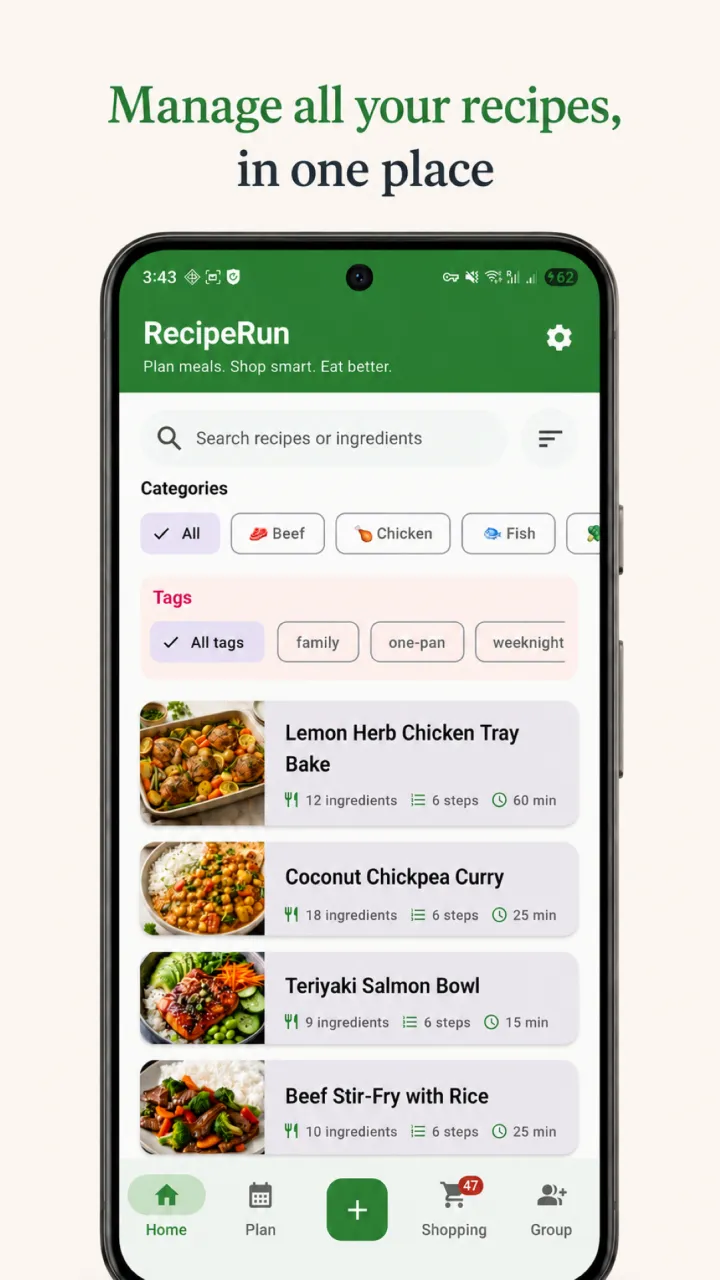
RecipeRun is built around a sequence: save a recipe, add it to the weekly meal plan, then turn its ingredients into part of the grocery list.
In practice, that means:
- Importing recipes from cooking website links on the device.
- Extracting recipes from photos, screenshots and handwritten cards using AI.
- Keeping recipes in one searchable library.
- Planning breakfast, lunch and dinner across the week.
- Generating a grocery list that combines repeated ingredients instead of listing duplicates.
- Updating the list when the meal plan changes.
- Sharing recipes, meal plans and lists through Family Groups.
Where RecipeRun may not fit
RecipeRun is not automatically better than a familiar notes file for everyone. Consider another approach if:
- You only keep a handful of short personal recipes.
- You need a highly customized database or spreadsheet analysis.
- You need a desktop or web app rather than an Android or iOS app.
- You do not want AI processing for photo imports and do not want to enter those recipes by hand.
- The app’s backup, export, subscription or platform arrangements do not meet your needs.
Recipe management, meal planning and grocery lists work wherever you live. RecipeRun’s supermarket price comparison is currently available only in Australia. RecipeRun is free to download.
Privacy, ownership and portability questions to ask
The type of tool does not answer these questions by itself. A cloud notes service and a recipe app can have very different practices, while a local spreadsheet can still be lost if it is never backed up.
Before migrating a collection, ask:
- Where is ordinary recipe data stored?
- What is sent to a server when a URL or photo is imported?
- Is content used for AI training?
- Can the collection be exported in a usable form?
- What happens after uninstalling the app or ending a subscription?
- Can shared household members edit or delete content?
- Which backup or sync process applies to Android and iOS?
For RecipeRun, ordinary recipe data is stored locally unless a cloud-enabled feature is used. URL extraction runs on the device. Photo extraction sends the image securely for processing and may use third-party AI providers; RecipeRun states that uploaded content is not used to train AI models. Android offers optional backup to the user’s Google Drive, while iOS can use the user’s private iCloud database when sync is enabled. Read the current Privacy Policy and Terms for details and exceptions.
How to migrate without creating a mess
Whichever system you choose, start with a trial you can undo:
- Pick ten recipes covering every source type you use.
- Keep the originals and your current system unchanged during the trial.
- Import or enter each recipe and check it against the source.
- Use the new system for one real week of finding, planning, shopping and cooking.
- Test backup or export before moving another batch.
- Write down one naming rule and one rule for keeping sources.
- Continue only if the trial removes meaningful work.
Do not measure success by the number of recipes migrated. Measure whether your household can find and use the right recipe with less retyping and guesswork.
Try the recipe-manager workflow
If your main pain point is the gap between saved recipes and a grocery list, explore RecipeRun’s recipe manager features. The guide How to Turn Recipes Into One Grocery List Automatically walks through the full planning workflow.
RecipeRun is free to download on Google Play and the App Store. Try it with a small representative batch before deciding where the rest of your collection should live.
Frequently asked questions
Is a recipe manager better than browser bookmarks?
It is better when you want a stable, structured library connected to planning and shopping. Bookmarks are simpler when you only need to revisit a small number of web recipes and prefer the publisher’s original page.
Should I store recipes in a spreadsheet?
A spreadsheet is useful for custom sorting and analysis, especially if each row links to a full recipe elsewhere. It is less natural for long cooking instructions, photos and automatic grocery lists unless you build and maintain those workflows yourself.
Can a notes app organize recipes well?
Yes. A notes app can work well for a small collection if you use consistent titles and headings. It gets harder to manage when recipes come from many sources or when ingredients need to feed a weekly plan and a shared grocery list.
What should I test before choosing a recipe app?
Test URL and photo import accuracy, search, meal planning, grocery-list output, editing, household sharing if you need it, privacy settings, backup and export. Use recipes that represent the hard parts of your real collection.
Can RecipeRun import TikTok, YouTube or video-file recipes?
Yes. RecipeRun can import recipes from TikTok and YouTube links or uploaded video files. It can also import from cooking websites and extract recipes from photos, screenshots or handwritten cards. You review each import before saving it.
Sources and disclosure
- RecipeRun product behavior as described on the recipe manager page, Privacy Policy and Terms of Service, accessed October 9, 2026.
- Library of Congress guidance on preserving personal digital records, used for the backup advice: make at least two copies of the files you want to keep and store them in separate places.
- Library of Congress guidance on the care, handling and storage of works on paper, used for storing paper originals in a cool, relatively dry, clean and stable place.
- U.S. Copyright Office FAQ, What Does Copyright Protect?, which explains that a mere listing of ingredients is not protected by copyright, while a recipe accompanied by substantial explanation, or a collection of recipes such as a cookbook, may be.
This comparison is published by the team that makes RecipeRun. It does not rank RecipeRun against named competing apps, and it deliberately points out cases where bookmarks, notes or spreadsheets may be the better choice.