
Menu
Shared grocery list app
One grocery list the whole family can share
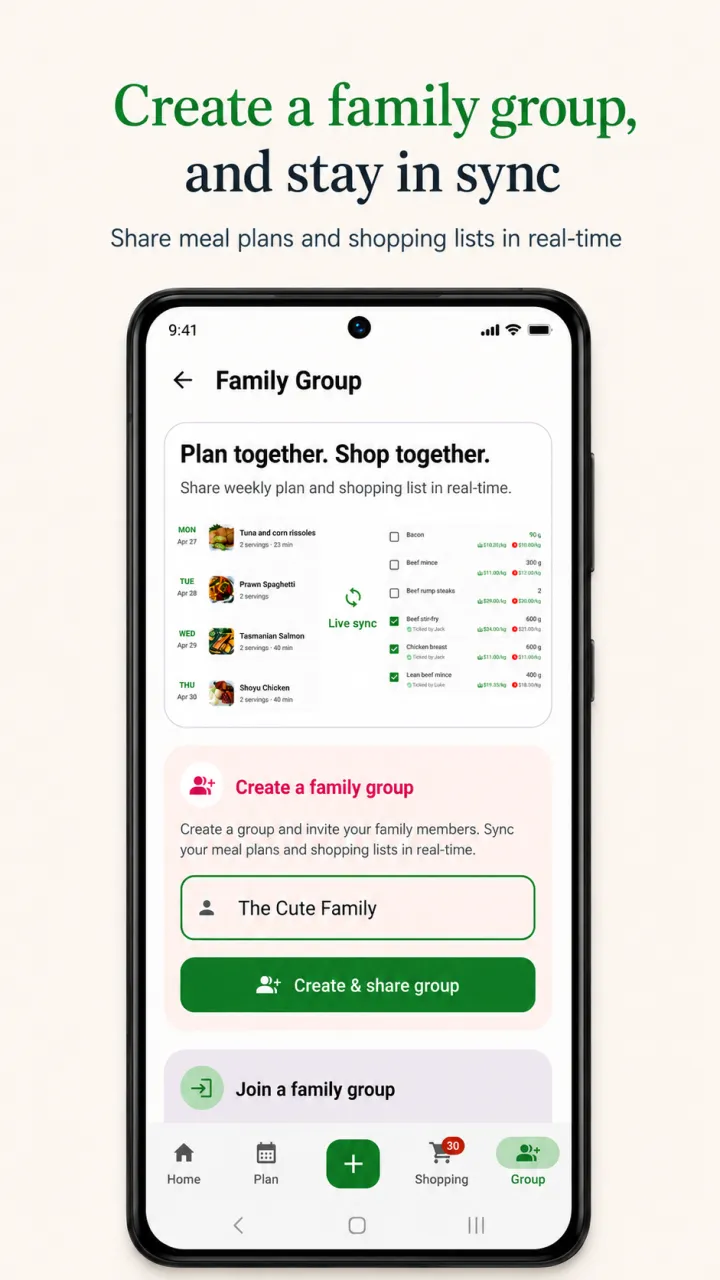
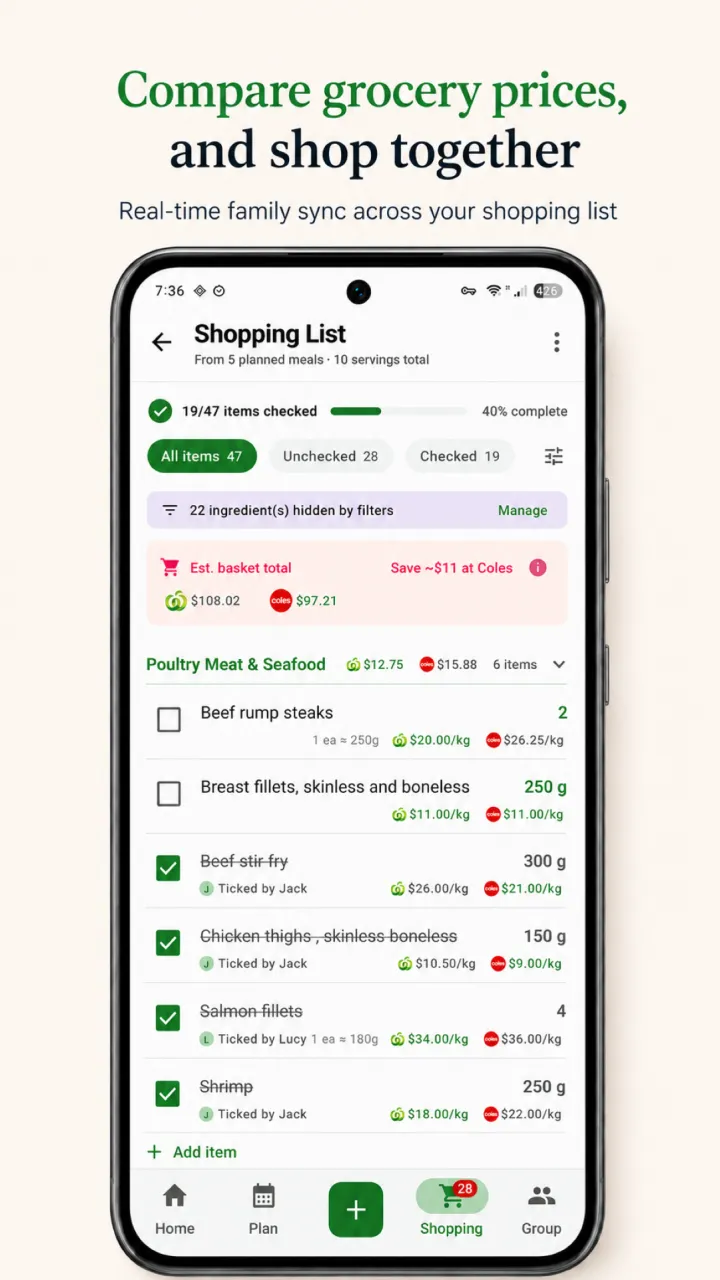
RecipeRun gives each family member their own account while sharing the same recipes, weekly meal plan, and grocery list. When someone checks off an item, everyone sees the change.


Shared lists work worldwide, on iPhone and Android.
Plan. Build. Shop.
From the family meal plan to the cart
The list is connected to the week, so your household spends less time copying ingredients and asking what still needs to be bought.
 1Plan
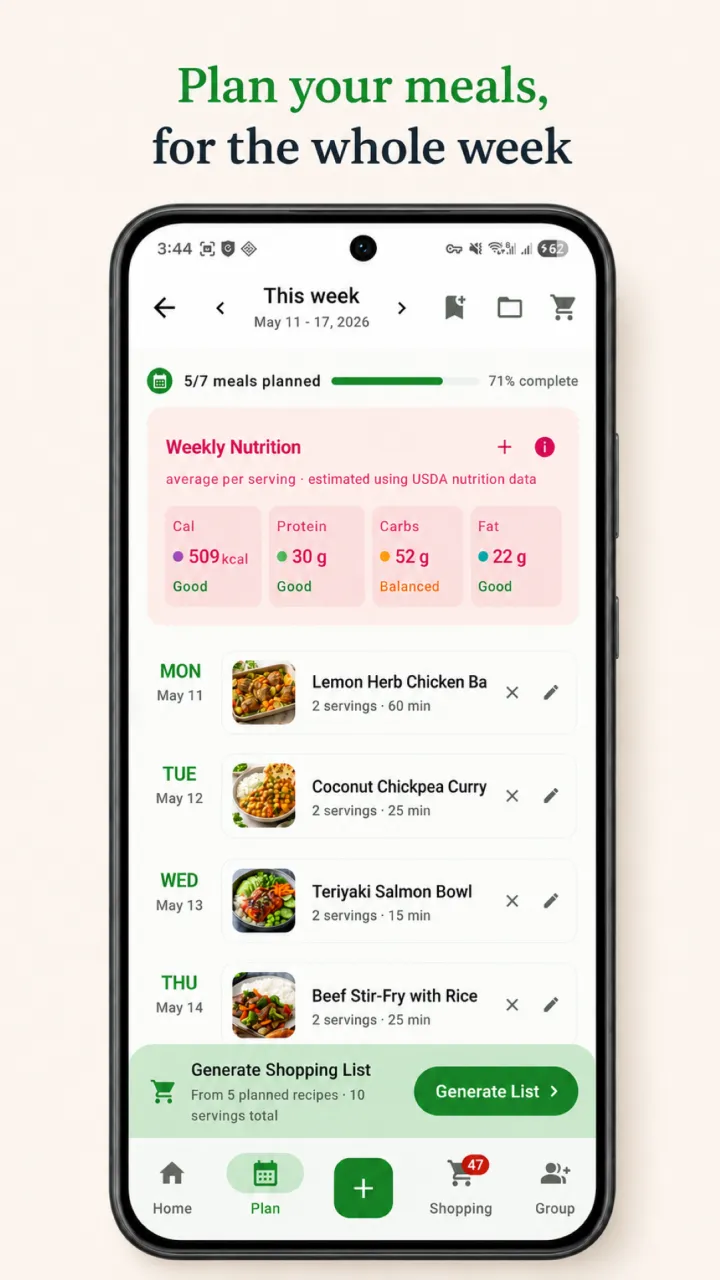
1PlanChoose the family meals
Add breakfast, lunch, or dinner to the week from the recipes your household actually cooks.
- 2Build
Create one family list
RecipeRun brings the planned ingredients together, combines repeats, and shares the list through your Family Group.
- 3Shop
Check it off together
Everyone sees item changes as they happen, whether one person shops or the grocery run is split between two people.
At a glance
What the family grocery list includes
| Feature | What to expect |
|---|---|
| Accounts | Each member signs in with their own account. |
| Shared content | Recipes, the weekly meal plan, and the grocery list. |
| List building | Generate ingredients from planned recipes and combine repeated items. |
| Live updates | Checked and unchecked items sync across the Family Group. |
| Platforms | Available on Android and iOS. |
| Family access | Each member joins the Family Group with a code, using their own account. |
| Worldwide use | Recipe saving, meal planning, and grocery lists work worldwide. |
Family grocery list FAQ
Before you share the list
Straight answers about accounts, live updates, and using the app worldwide.
Looking for family meal planning?Can two people use the same grocery list at once?
Yes. Each Family Group member signs in with their own account and sees the shared grocery list. When one person checks or unchecks an item, the change syncs for the rest of the group.
Do family members share one login?
No. Every family member uses their own RecipeRun account and joins the Family Group with an invite code. That keeps access personal while the group shares recipes, the weekly plan, and the grocery list.
Does the grocery list come from the meal plan?
Yes. RecipeRun can generate the list from the recipes in your weekly meal plan, combine repeated ingredients, and keep the list aligned when the plan changes.
Does the shared grocery list work in my country?
Yes. Recipe saving, meal planning, grocery lists, and Family Groups work worldwide. Supermarket price comparison is currently available only in Australia.
Make the next shop a team effort
One plan. One family list. Fewer crossed wires.
Download RecipeRun on Android or iOS and create a Family Group to share recipes, plans, and lists.